
A road tens of kilometres long. A whole city. A lighting, telecom or energy network. Thousands of poles, signs, manholes, entrances and pieces of street furniture.
For those who manage, design or maintain them, the question is always the same: what does it look like now, on site? The classic answer means site trips, photos taken on phones, files scattered among colleagues and information that is hard to find after a few months.
Georeferenced 360° panoramic imagery offers a different approach. The route is captured once and can then be viewed from the office, directly on the map. What’s more, objects visible in the images can become GIS assets, with their own position, identifier and attributes. The same capture can thus serve both as an urban virtual tour, and as a basis for inventorying and managing infrastructure.
In short: what does 360° imagery offer for GIS?
- viewing a route visually, directly from the GIS;
- documenting streets, green spaces and the public realm;
- visual asset inventory, with each GIS object linked to the image in which it appears;
- checking a location before going on site;
- comparing the same area at different times;
- complementing LiDAR, topographic or orthophoto data.
Important: a 360° image and 3D measurement are not the same thing. The panorama provides visual context. LiDAR and topographic surveying provide measurable geometry.
What is a georeferenced 360° panoramic image?
A vehicle-mounted camera captures all directions simultaneously while the car is moving. Each capture is linked to its position and time, so in a GIS the images appear along the route on which they were taken.
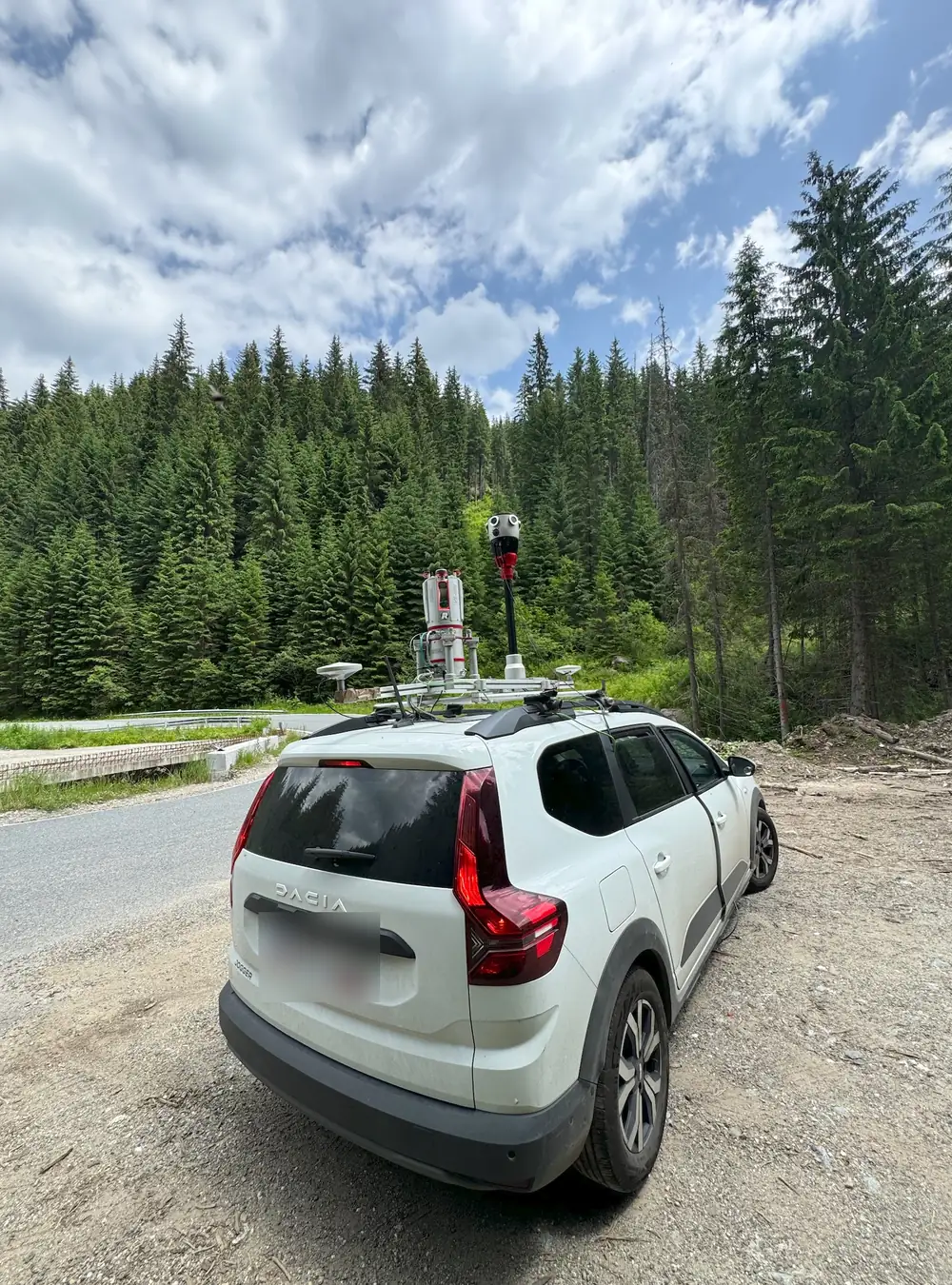
We use the Mosaic Xcamera: 6 sensors of 12.3 MP each, a 91.2 MP equirectangular panorama, global shutter (the image does not distort at speed) and a GNSS timestamp for every frame.
For the user, the result is simple: open the map → choose the area → see the site in 360°. For GIS, this is where the value only begins.
From image to GIS asset
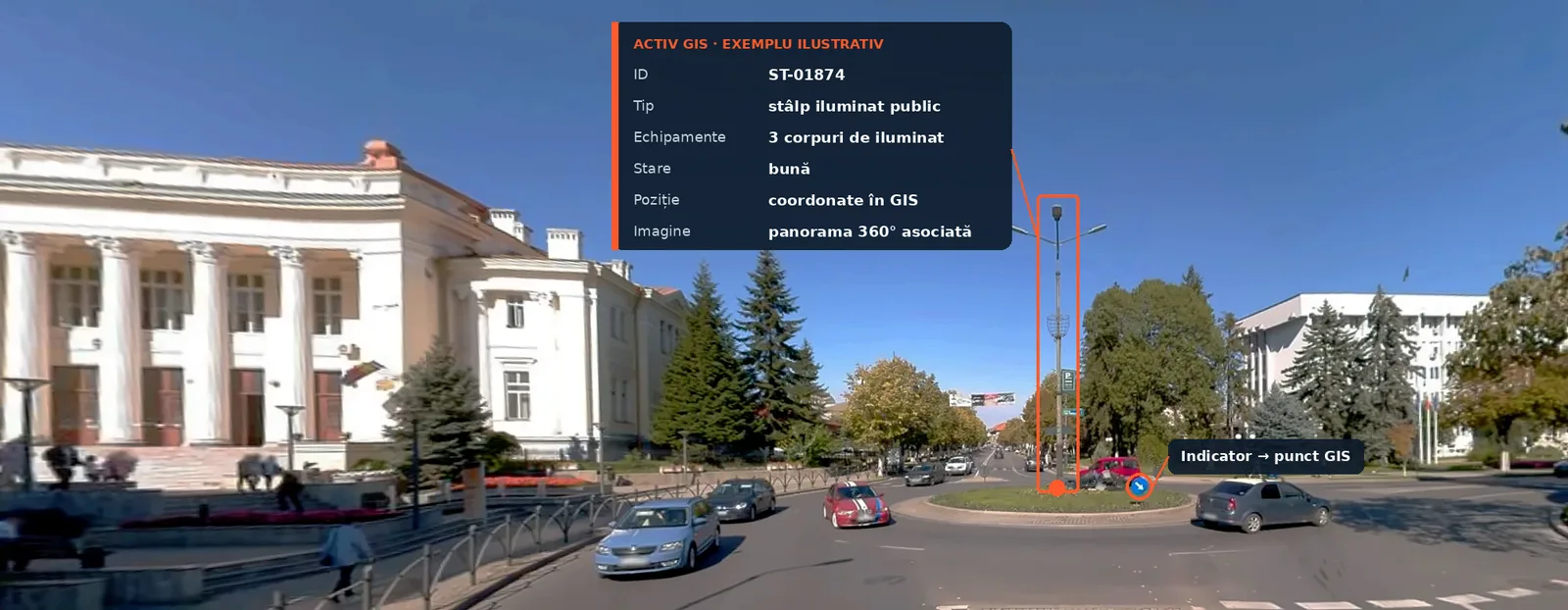
A pole seen in a panorama does not have to remain just an object in a photograph. It can become a record in the GIS database:
Illustrative example
ID: ST-01874 · Type: concrete pole · Equipment: light fitting + telecom cable · Condition: good / needs checking · Capture date: date of the panorama in which it was identified · Position: coordinates in the client’s GIS system · Linked image: the panorama in which it can be viewed
The same principle can be applied to thousands or tens of thousands of objects. The GIS keeps the structured information; the image keeps the visual context from the capture date.
Current GIS platforms are built for this relationship between map and imagery. ArcGIS, for example, includes the concept of Oriented Imagery, through which 360° and street-level images are managed and viewed directly in relation to the map data.
Which assets can be inventoried?
What can be identified depends on what is visible from the vehicle and on the project brief.
Telecom
Poles, visible overhead cables, boxes and cabinets, pole-mounted equipment, antennas, visible manholes, access points.
Energy and electricity
Poles, transformer stations, electrical boxes, insulators, light fittings, pole-mounted equipment, vegetation near the network, access to assets.
Street lighting
Each pole can become a GIS object with position, code, type, light fitting, condition, notes and the linked panorama. The team no longer sees just a point on the map, but also what the place looked like on the capture date.
Roads and infrastructure
Signs, guardrails, markings, culverts, entrances, junctions, pavements, gutters, poles, manholes, street furniture, visible damage.
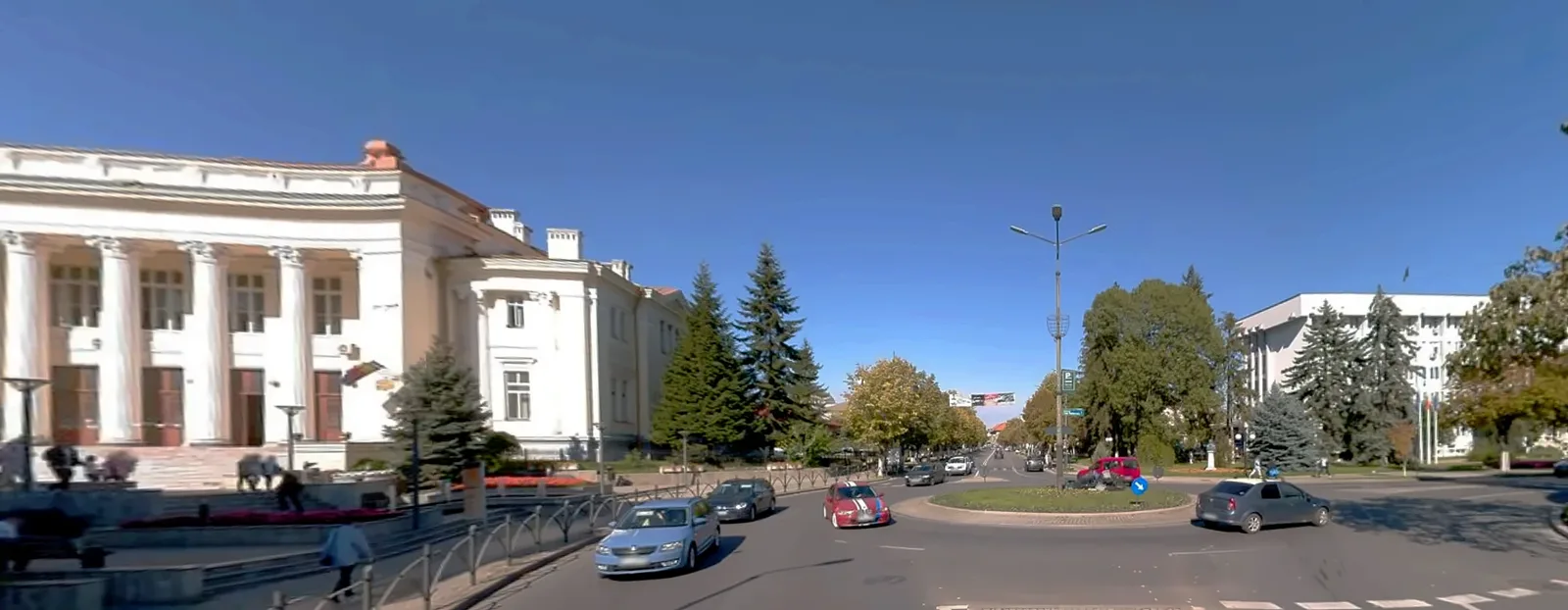
Example, Râmnicu Vâlcea (October 2024): at the roundabout next to the Vâlcea Court, a single panorama shows the detour sign, the markings and the pedestrian crossing, the lighting pole, the paved island, the pavement and the façades of the public buildings. Each can become an inventory point. See the capture on Mapillary ↗
Urban virtual tour: the city viewed from the office
Not every project needs an inventory of every object. Sometimes the main value is the ability to return to the city visually without another site trip: streets, parks, squares, pedestrian areas, tourist routes, intervention zones. For a park, for example, you can view the paths, furniture, lighting, vegetation, entrances and the general condition visible on the capture day.
Green spaces as GIS assets
A green space project can go beyond the panorama: trees, planted areas, benches, bins, light fittings, playgrounds, paths, signs. Each has its own attributes and a link to the images in which it appears. The panorama becomes a visual interface to the GIS database.
Can assets be created automatically from images?
Partly, yes. GIS platforms can use object recognition algorithms on images. In ArcGIS Pro, for example, the deep learning object detection tool accepts Oriented Imagery layers: it detects objects in the image and projects them onto the map. Esri states that it works best for ground-level objects such as fire hydrants.
In practice, the workflow is chosen according to the project. For some asset categories automation is efficient; for others, human checking remains necessary: image → detection → GIS object → attributes → check.
Is the camera position enough to position the assets?
Not always. The important difference is between georeferencing the image and the coordinate of the object observed in the image. The camera’s GNSS positions the route and links the images to the area, but an object 10–20 m from the vehicle does not automatically have the camera’s coordinate.
For technical positioning, depending on the accuracy required, we use: geometry derived from images and camera parameters, GNSS/INS, LiDAR, topographic surveying or combinations of these. When the exact position matters, we combine the panorama with mobile mapping LiDAR and topographic control.
360°, LiDAR and orthophoto: three types of information
| Method | What it provides | Use |
|---|---|---|
| 360° panorama | Street-level visual context | Inventory, visual inspection, reconnaissance, GIS |
| Mobile mapping LiDAR | Measurable 3D geometry | Topographic plan, profiles, sections, design |
| UAV orthophoto | Top-down image, to scale | Areas, routes, territorial context |
The three methods do not compete; on large projects they complement each other. More on choosing the method: comparisons between methods.
Why does the 360° + LiDAR combination matter?
A pole at the roadside. From the panorama you see the type of pole, the equipment, the cables, the vegetation, the surroundings, the access and the apparent condition. From the LiDAR point cloud you determine the position, height, distances and the relationship with the road and the other objects.
The image explains the object. The point cloud measures it.
Example: DN 7A Brezoi – Obârșia Lotrului
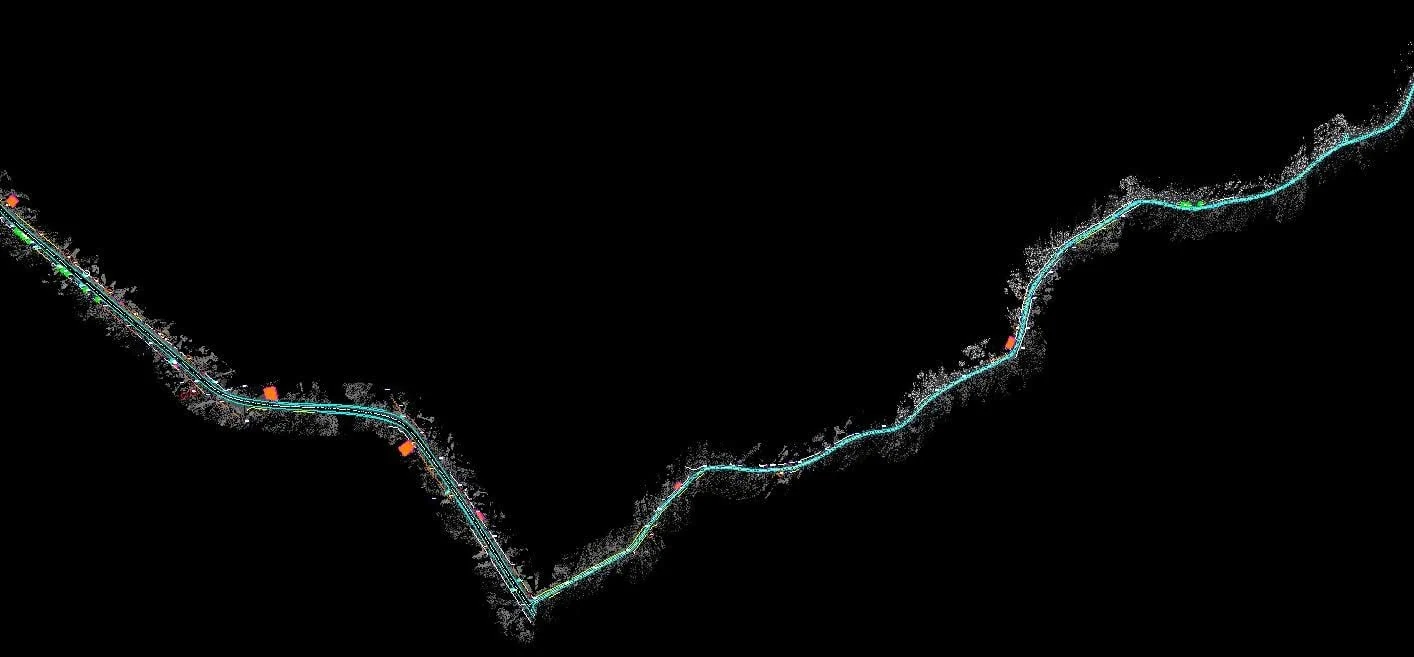
On DN 7A, the Mosaic X camera worked in parallel with the Riegl laser scanner. The client received the topographic plan made from the point cloud and a private 360° panoramic tour of the whole route, which the design team uses from the office. If a question arises about an entrance, a sign or a junction, the designer returns to the site visually, without a new site trip being the first reflex.
In total, we have captured with Mosaic X over 1,000 km of roads for GIS projects. Public examples: our 360° tours on Mapillary ↗.
Updating GIS and changes over time
A capture made today documents the current state. A new capture a year later makes comparison possible: new or removed objects, changes in condition, works, vegetation, changes in the public realm. The image no longer answers only “What is there?”, but also “What has changed?”
How does the imagery get into GIS?
The images can be integrated into a GIS project or a viewing platform. In ArcGIS, for example, 360° panoramas can be managed as an Oriented Imagery Dataset, with each camera position linked to the image and the metadata needed for display.
At the start of the project we agree: the GIS platform used, the coordinate system, the asset types and attribute fields, the code lists, how the images are stored, who has access and how often updates happen. Site capture is thus planned starting from what needs to exist in the GIS database at the end.
Does 360° imagery replace site visits?
No. But it can eliminate some of the trips made only for visual checks. For a technical inspection, a measurement or a check that cannot be done from images, going on site is still necessary.
Is the imagery public?
It doesn’t have to be. Client captures are delivered privately, accessible only to the client and authorised people. On public platforms such as Mapillary, faces and number plates are blurred automatically. For private deliveries, the anonymisation method is set in the project brief.
Frequently asked questions
What is georeferenced 360° panoramic imagery?
Spherical panoramas linked to a geographic position and a capture time, which can be viewed on a map or integrated into a GIS.
Can I create GIS assets from 360° imagery?
Yes. Objects identified in the images can become GIS features with position, ID, category and other attributes. Positional accuracy depends on the method used to locate the object.
Can I use the imagery for telecom or energy networks?
Yes, for inventorying and visually checking assets visible from the vehicle, depending on the project brief.
Can I use the imagery for green spaces?
Yes. It can visually document parks, streets and green areas and can be linked to GIS objects such as trees, street furniture, lighting or paths.
Can I measure directly on the panoramas?
Some platforms allow, under certain conditions, transformations between image and ground. For measurements used in design, we recommend LiDAR or topographic surveying.
What is the difference between 360° and LiDAR?
A 360° image provides visual context. LiDAR produces measurable 3D geometry.
Can the imagery be combined with existing GIS data?
Yes. The georeferenced imagery and the resulting assets can be integrated with existing GIS layers, depending on the client’s platform.
Does the imagery have to be public?
No. It can be stored and shared in a private environment.
From site to GIS information
A vehicle-mounted 360° camera does not just produce photographs. Used in a GIS workflow, it can document a territory, create a visual archive and help build or update the asset inventory. Combined with LiDAR, topographic surveying and orthophotos, the same trip can generate several levels of information: what exists, what it looks like, where it is and how it relates geometrically to the rest of the infrastructure. That is the difference between a simple virtual tour and a documentation system for GIS.
Do you have a city, a route or a network to document?
Tell us the area or the length of the route, the type of assets and what you want to get in GIS. We reply within 24 working hours.
We then decide whether the project needs 360° panoramas, mobile mapping LiDAR, an orthophoto, topographic surveying or a combination; we confirm the method, timeline and quote once we clarify the project details.